
Understand the conversation
Work from your inbox with summaries, suggested replies and customer context.
A better inbox is only the start. Bring AI-assisted email, company research, customers, deals, meetings, billing and Website Chat into one place, with the context to make each next step count.
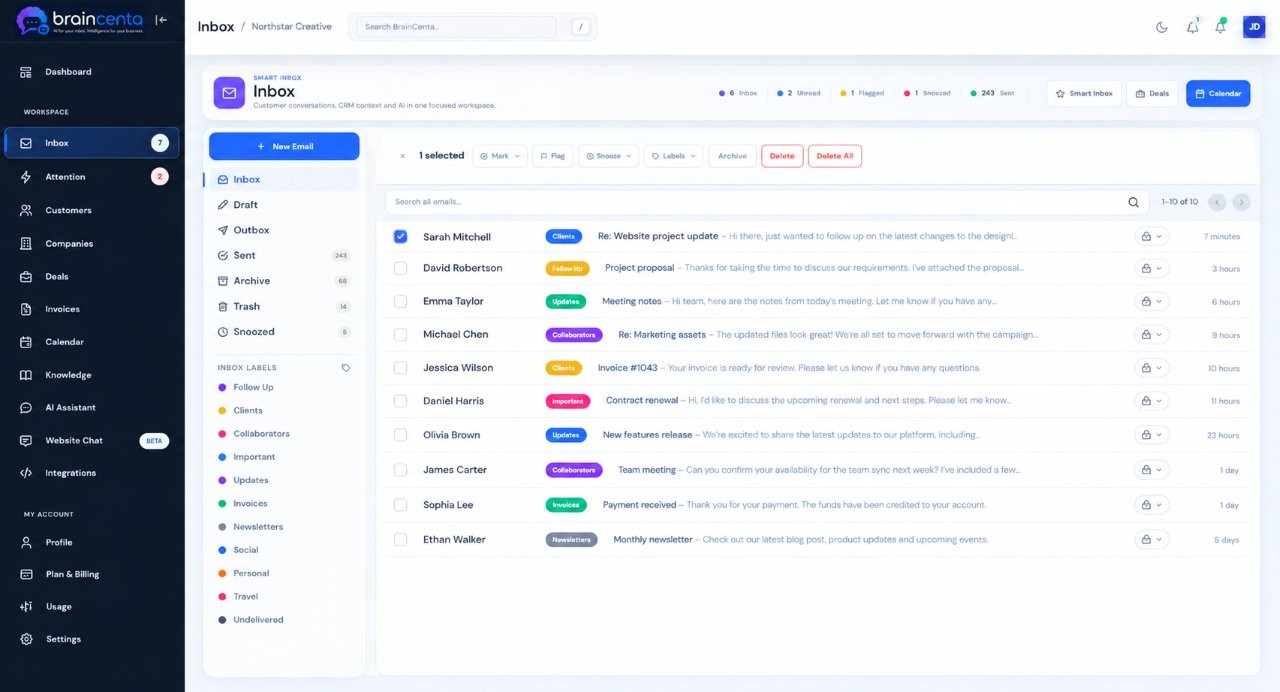
Every customer relationship crosses more than one tool. BrainCenta brings the moving parts into the same workspace so you can understand what happened and decide what to do next.
Work from your inbox with summaries, suggested replies and customer context.
Keep people, companies, activity and opportunities together.
Bring approved business information into AI assistance and Website Chat.
Follow through with deals, meetings, quotes and invoices.
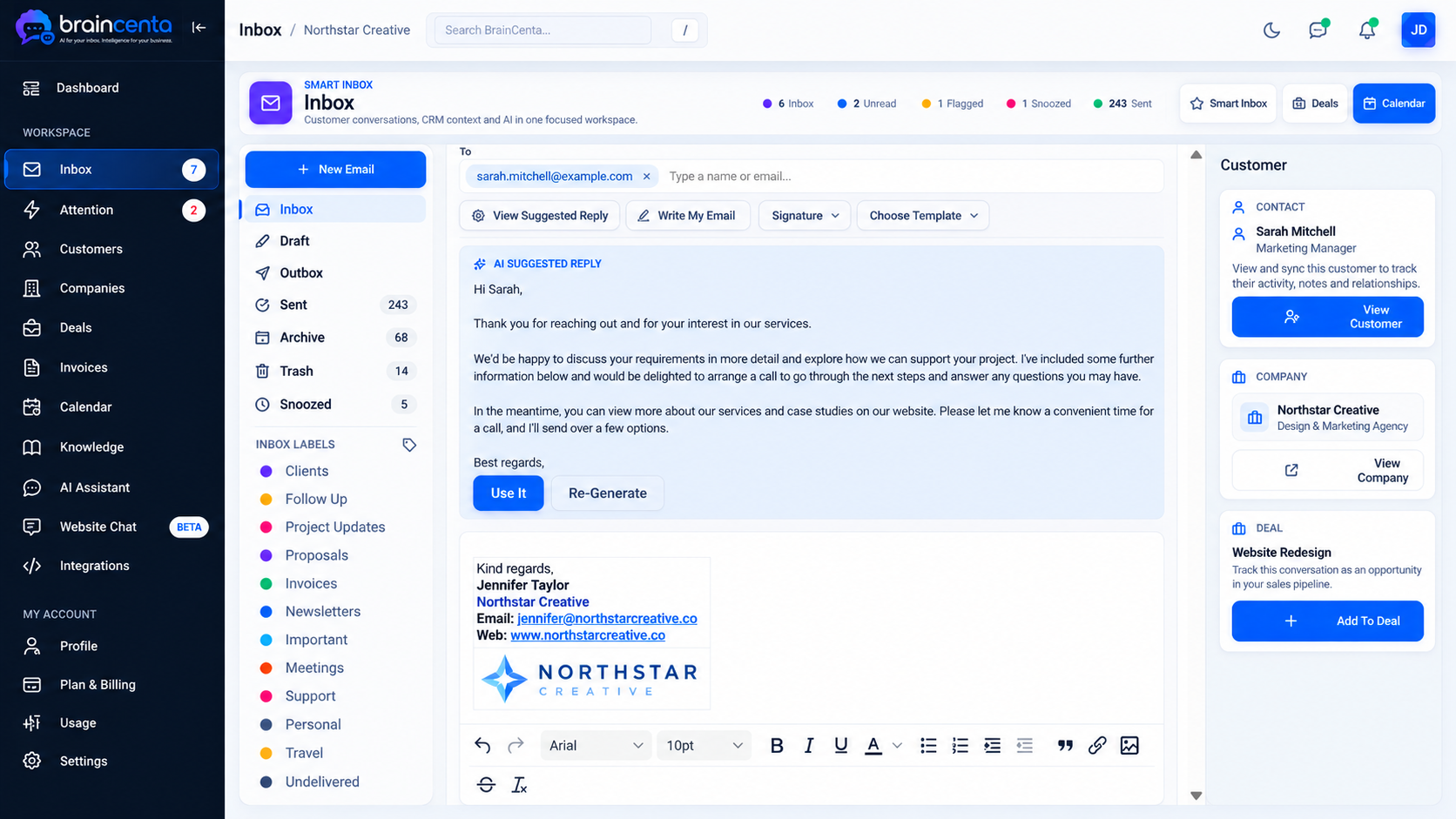
Connect supported Gmail, Microsoft or IMAP business mailboxes. Catch up on a long thread, see the relationship behind the sender and prepare a reply with available context. You review every message before sending.
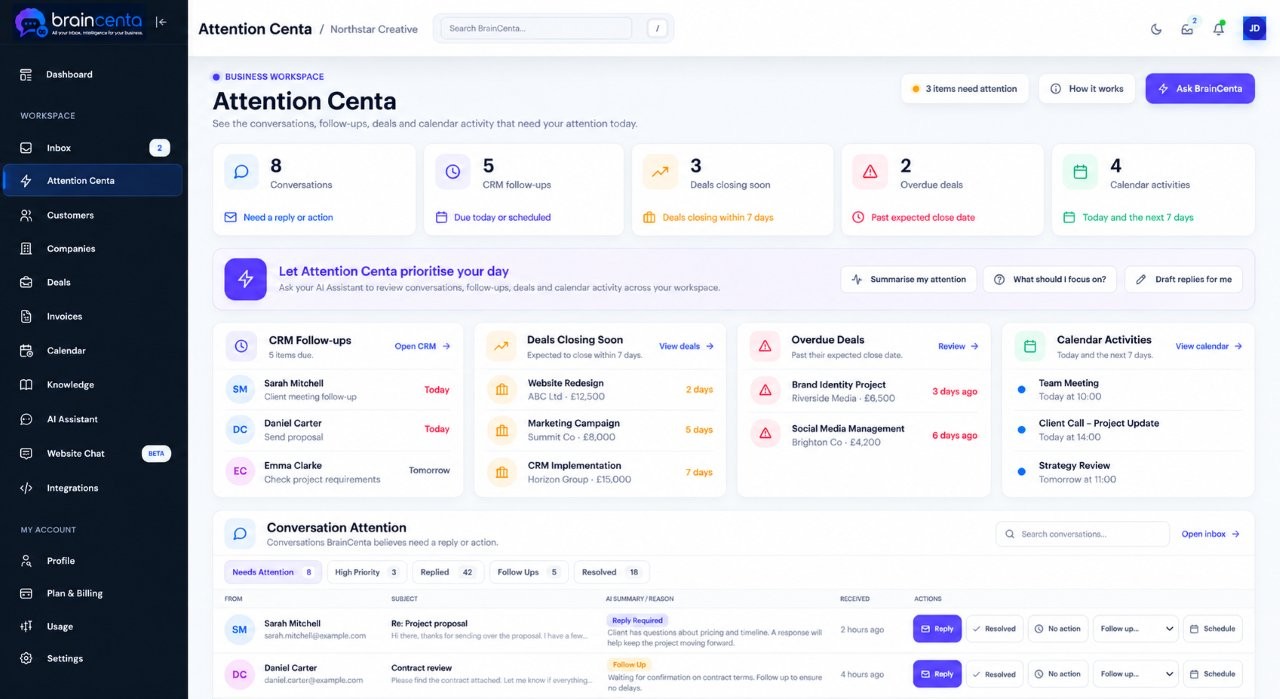
An inbox can be full while the most important conversation stays buried. Attention Centa helps surface messages that may need a response, so your time goes to the people and work that need it.
Scan a company's website in seconds to create an AI brief in its company record. See an overview of the business, its industry, target customers and key services, then prepare for a more informed conversation.
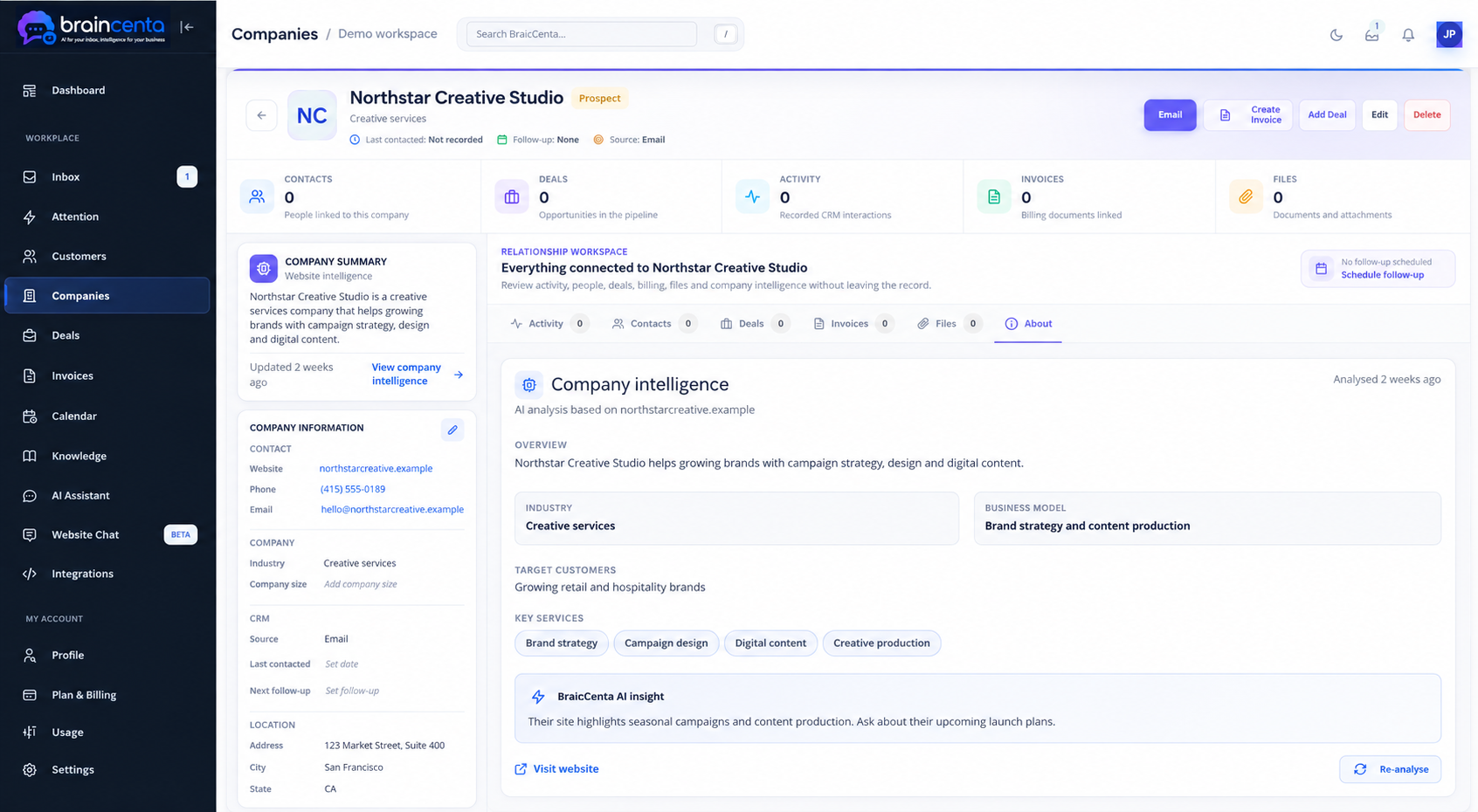
Illustrative screen with fictional company details.
Add approved answers about your services, policies and processes. Build articles, bring in useful website content and documents, and select the knowledge your website assistant can use.
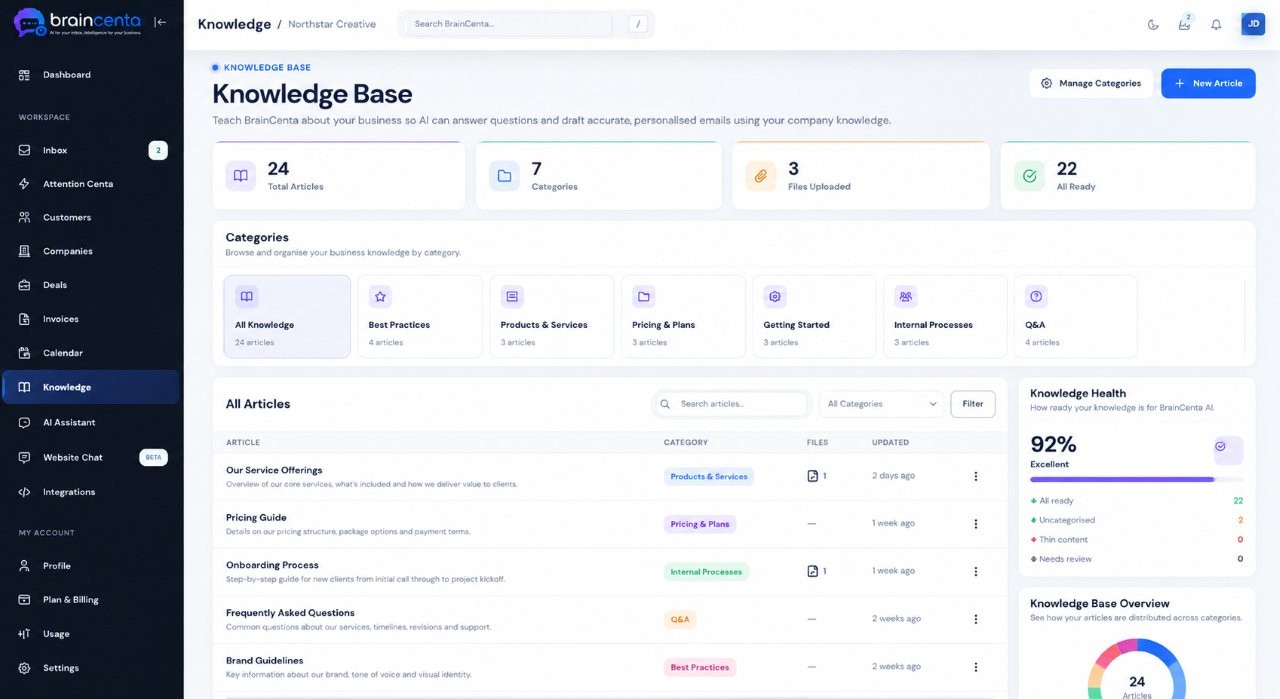
As a conversation becomes an opportunity, keep the people, business and deal linked so everyone can see the context behind the next step.
Keep contact details, related conversations and activity together for each person you work with.
See the wider business relationship, linked people and a website based company brief in one record.
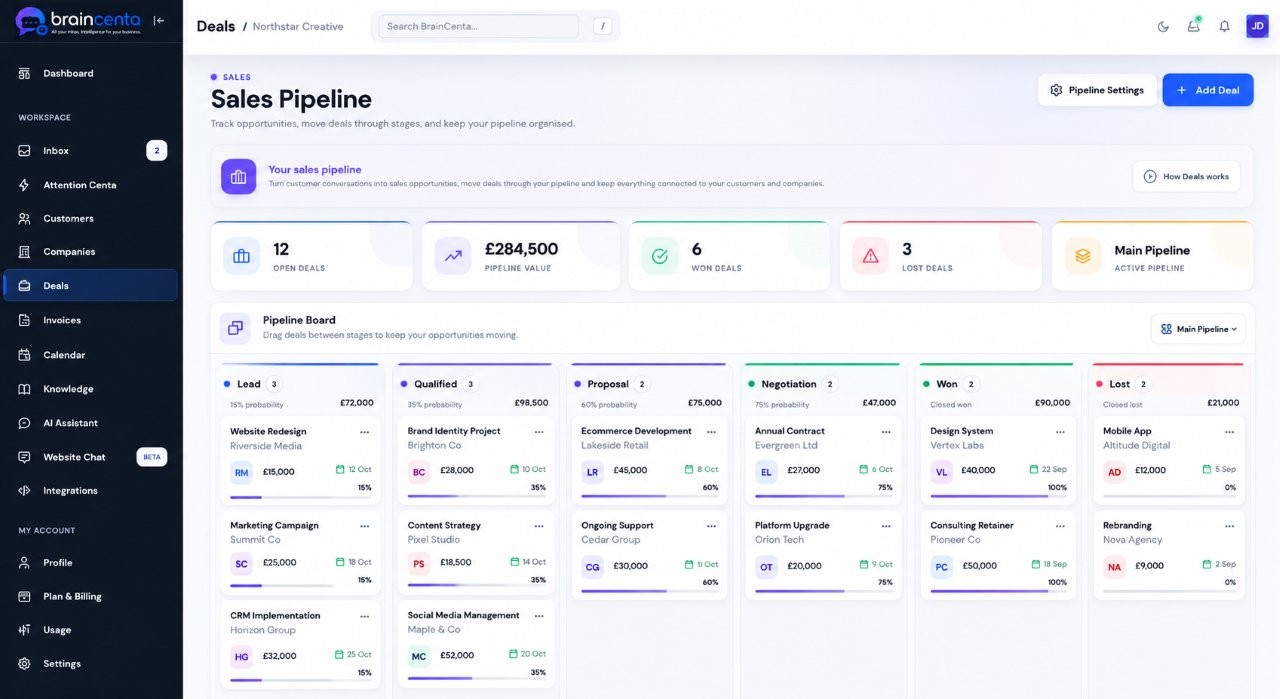
Track opportunities by stage, link them to customers or companies, and keep the next step visible.
Explore Deals →Give each relationship a practical next step, from a follow-up to a meeting or an invoice.
Schedule events, invite guests, create supported Google Meet links and connect a meeting to a customer, company or deal.
Keep follow-ups and other actions in view alongside the relationships they belong to.
Prepare the commercial documents a customer needs as an opportunity takes shape.
Create and email invoices, generate PDFs and track whether a document has been sent or paid.
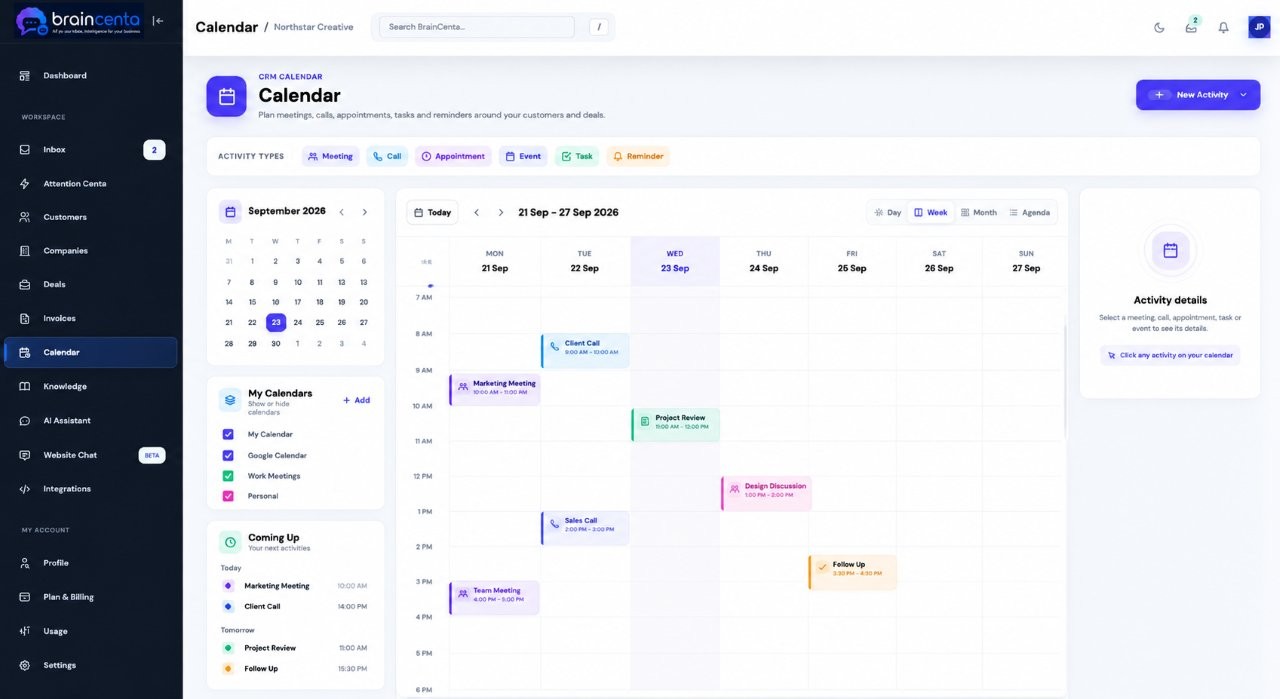
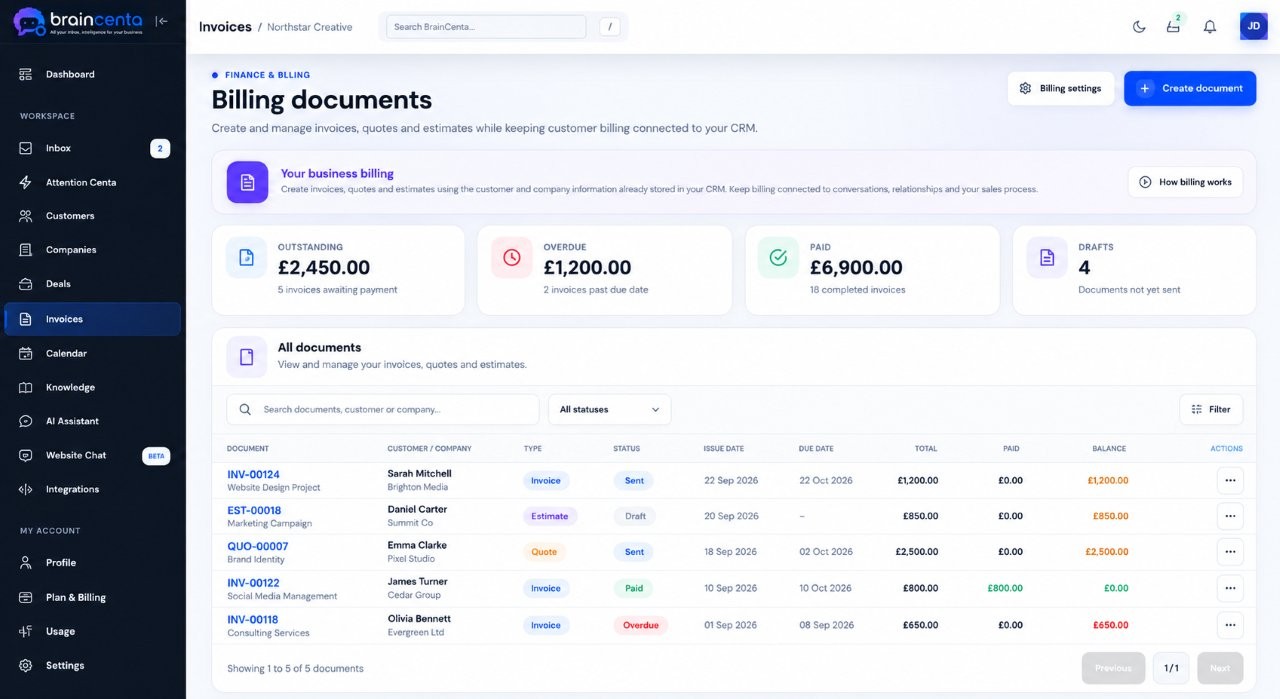
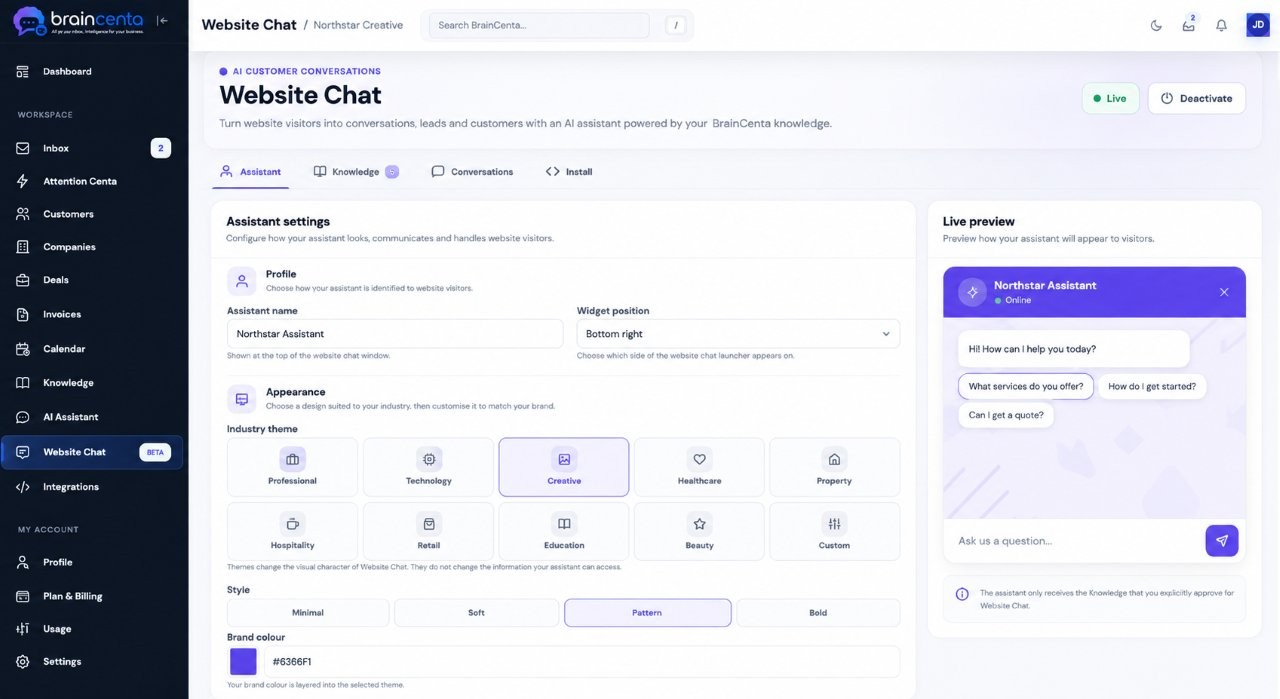
Give visitors a way to ask questions about your business. Configure a Website Chat assistant, choose approved knowledge for it and preview its answers before putting it on your site.
Connect supported email and calendar services so your communication and customer work can meet in BrainCenta.
BrainCenta can summarise, suggest and help you prepare. Your team reviews the output, makes changes and chooses what to send.
Connect your inbox, bring customer work together and see how BrainCenta fits your business.