
Understand what has already happened
See the email thread and connected customer information before writing the next reply.
Customers do not want to explain the same problem twice. BrainCenta brings their emails, relationship history and your approved answers together, helping your team respond with context and keep the next action in view.
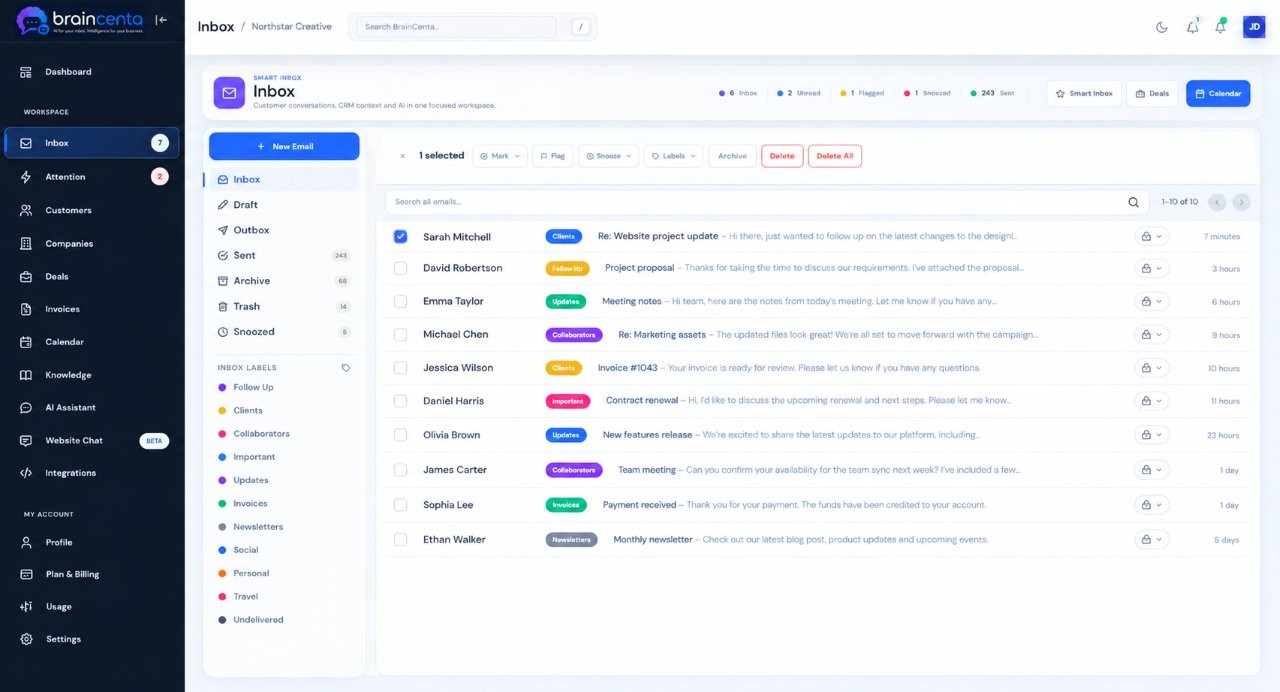
Support work gets harder when the conversation and the customer relationship live in different places.
See the email thread and connected customer information before writing the next reply.
Keep important messages, follow-ups and customer activity visible when a question cannot be resolved in one exchange.
Bring supported business mailboxes into one workspace and catch up quickly on a long thread. Prepare a response with AI assistance, then review and send it yourself.
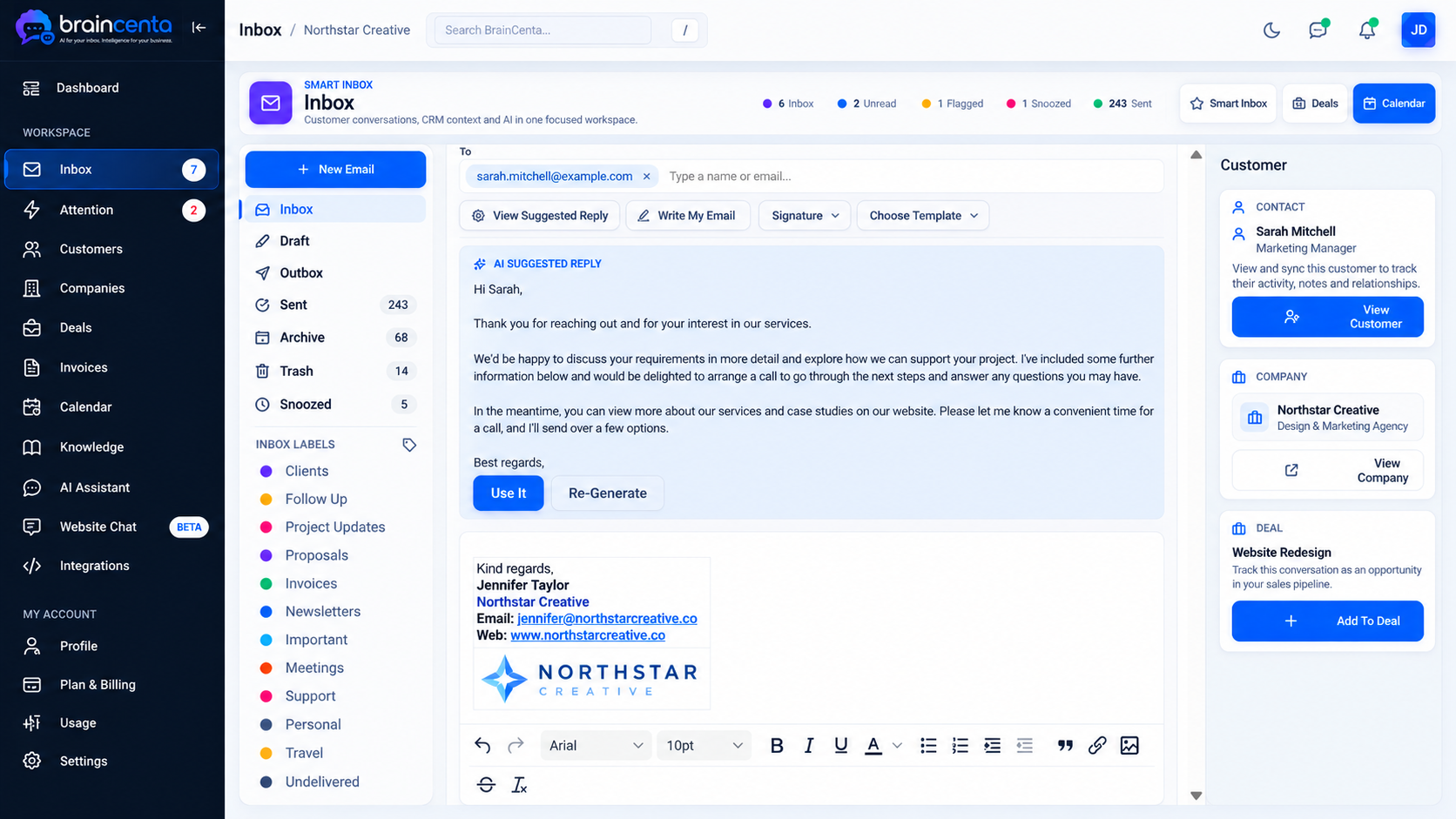
Keep the useful pieces of context together while your team stays in charge of the response.
The conversation arrives in your connected business inbox.
Read the thread with relevant customer or company information nearby.
Use AI and approved knowledge to help draft a relevant answer.
Review, send and keep the next action visible if more work is needed.
Add approved information about your services, policies and common questions. BrainCenta can use available conversation and customer context for email assistance, while your website assistant uses the knowledge you select for it.
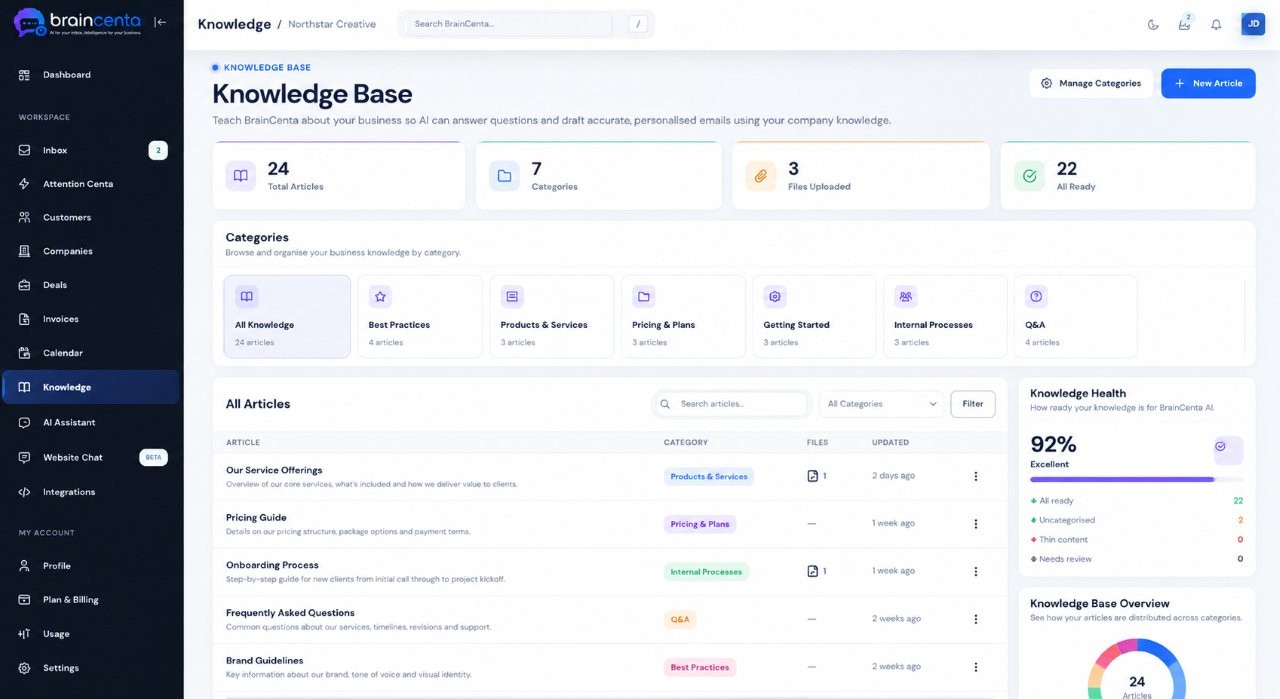
Keep useful answers accessible to your team and AI.
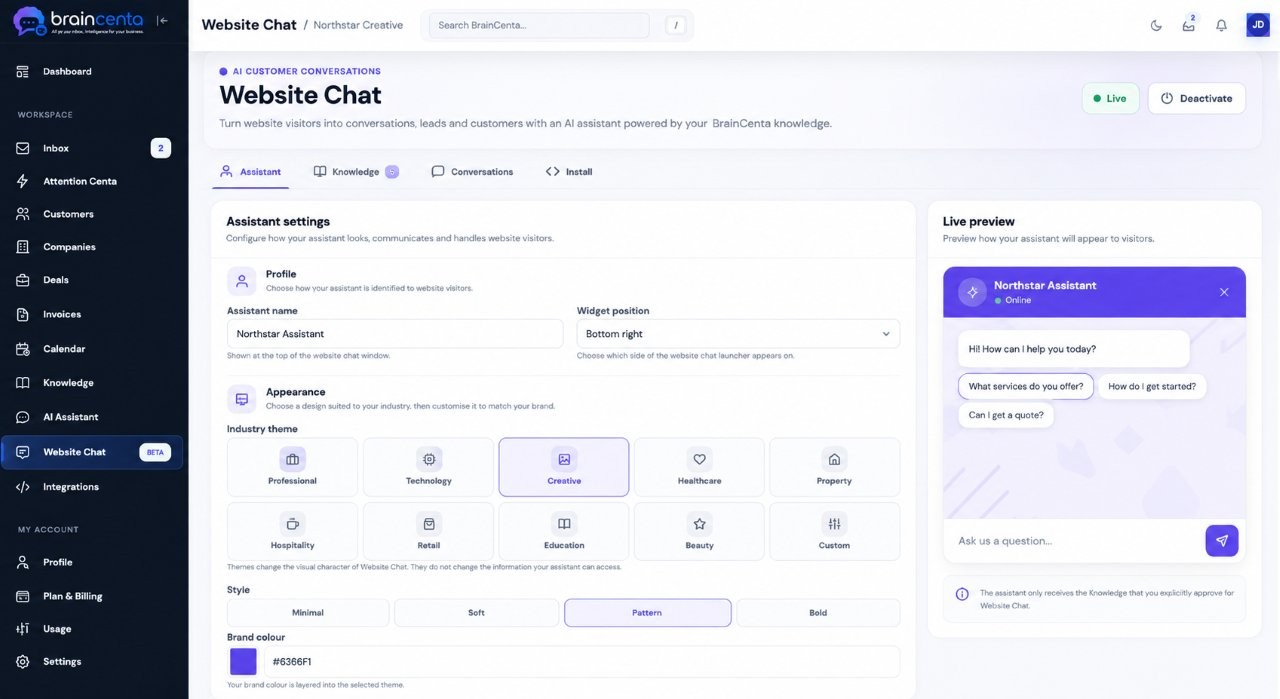
Help visitors with common questions using selected knowledge.
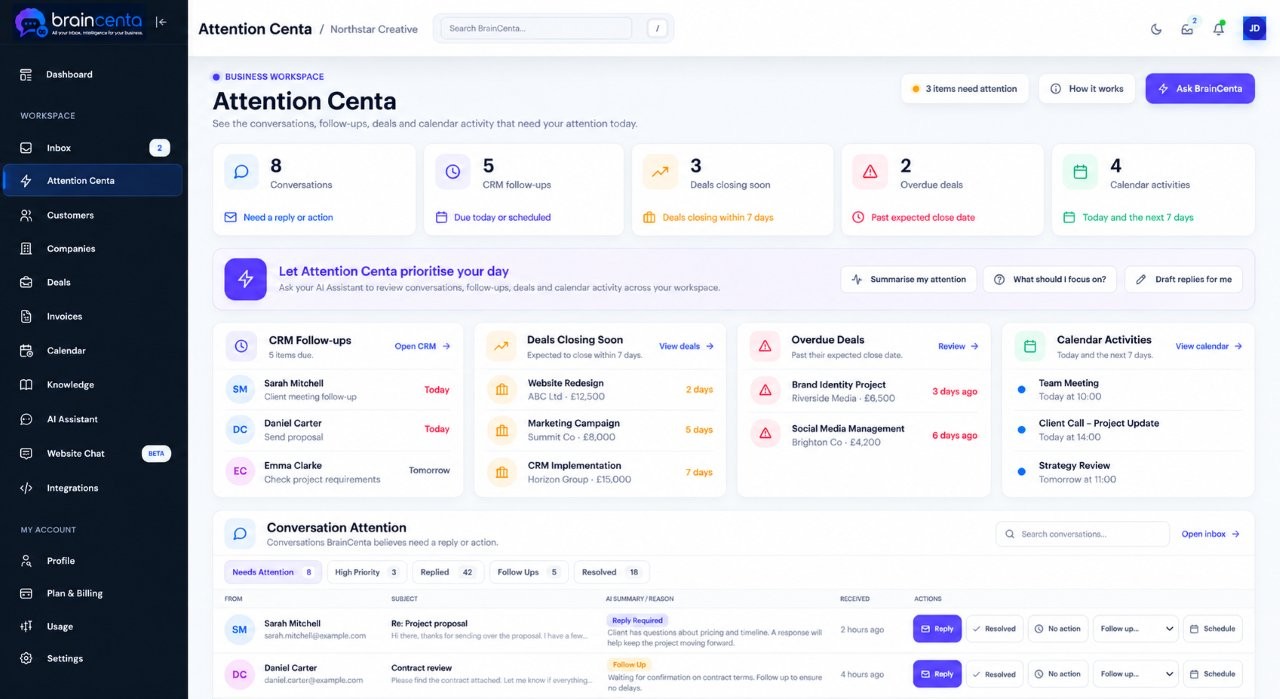
Some questions need a check, a call or another person’s input. Flags, snooze, follow-ups and Attention Centa help keep important conversations in view.
The questions change from one business to another. The need for clear communication does not.
Keep appointments, changes and repeat customer questions connected to the relationship.
Stay on top of order enquiries, policies and follow-up conversations in your support inbox.
See the wider company and contact history behind an account when answering a request.
Yes. Connect supported Gmail, Microsoft and IMAP business mailboxes to your BrainCenta workspace.
BrainCenta can prepare summaries and suggested email replies. A person reviews, edits and decides when to send the email.
You choose which approved knowledge the assistant can use, including relevant information about your services, policies and common questions.
Use flags, snooze and connected follow-ups to keep the conversation visible while your team works on the next action.
Bring support email, customer history and approved knowledge together, with AI assistance that helps your team respond and stay in control.